
The Lee Advertising Customer Portal gives you secure online access to your advertising account, including invoices, statements, account activity, and online payment options.
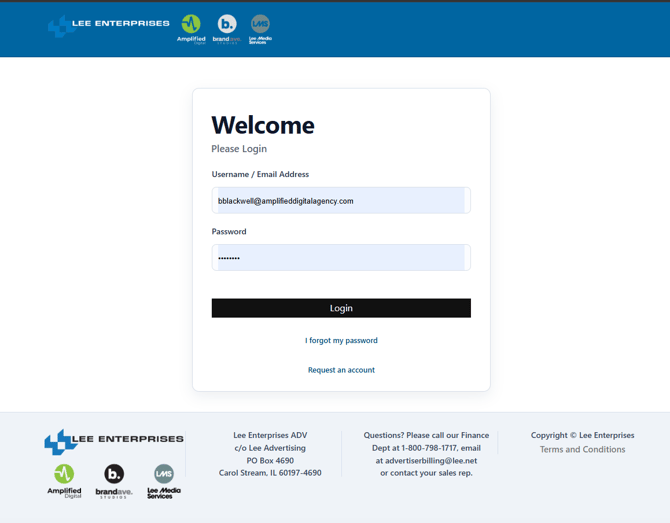
How do I access the portal?
Go to:
https://lee.navigahub.com/Portal/Client/LEE/
If you already have a portal account:
- Enter your Username / Email Address.
- Enter your Password.
- Click Login.
Once logged in, you can access the billing and account information available for your Lee advertising account.
What if I forgot my password?From the portal login page:
- Click I forgot my password.
- Enter the Username / Email Address associated with your portal account.
- Click Reset My Password.
- Follow the instructions provided to complete the password reset.
If you are unsure which email address is associated with your account, contact Lee for assistance.
What if I don't have portal access?If you have not previously registered for the Lee Advertising Customer Portal, click Request an account from the login page.
Complete the access request form with:
- Your full name
- Company name
- Phone number
- Email address
- Lee customer account number
- Any additional comments that may help us identify your account
Your customer account number can be found on a recent Lee invoice or statement.
Once the form is complete, click Request Access.
Where do I go for questions?If you need help accessing the portal, locating your customer account number, or have questions about your Lee advertising account, please contact your Lee sales representative or email advertiserbilling@lee.net.